About the service
ChatGPT is an artificial intelligence created by OpenAI. The main task of the ChatGPT neural network is to communicate with users and help them by answering questions and providing information on various topics. ChatGPT lets you learn about technology, science, history, art, culture, languages, and more.
You can pay for a ChatGPT subscription using an international credit or debit card. We've tested our virtual ChatGPT subscription card and we're sharing our successful experience with you in this article.
What you'll need to pay for a ChatGPT subscription
The payment process itself takes a little time. You just need to prepare two points in advance:
Sign up for an email account with a foreign domain (e.g. Gmail, Outlook, or Yahoo)

A Wanttopay card with the Easy tariff is suitable for ChatGPT payment - with a rechargeable USDT balance and a commission of 7%
%201%20(1).webp)
It is the second nuance that often becomes the main obstacle for Russian users.
Why do you need a foreign card?
Since 2022, OpenAI has completely blocked payments from Russia.
The company does not accept:
- Russian cards (Visa, Mastercard, MIR)
- Payments from Russian IP addresses
- Cards issued by Russian banks, even if you are abroad
When you try to pay with a Russian card, you will receive an error, and in some cases your account may be blocked altogether.
Traditional methods of issuing a foreign card require considerable effort: opening an account in a foreign bank requires physical presence, submission of documents, and waiting from several days to weeks; non-resident cards require high service fees, complex verification, and country restrictions. Crypto maps require an understanding of cryptocurrencies.
The simplest solution is to issue a virtual card
Foreign virtual cards are issued specifically to pay for international services. Registration takes a few minutes, after which the map is immediately ready for use. With the card you get full freedom: pay ChatGPT, Midjourney, Netflix, Spotify and any other foreign services directly, without intermediaries and overpayments.
Please note
The trial subscription ($0) and the GO plan are not paid with virtual cards
Before buying a card, please read the return policy in the chatbot.
How do I get a Wanttopay virtual card?
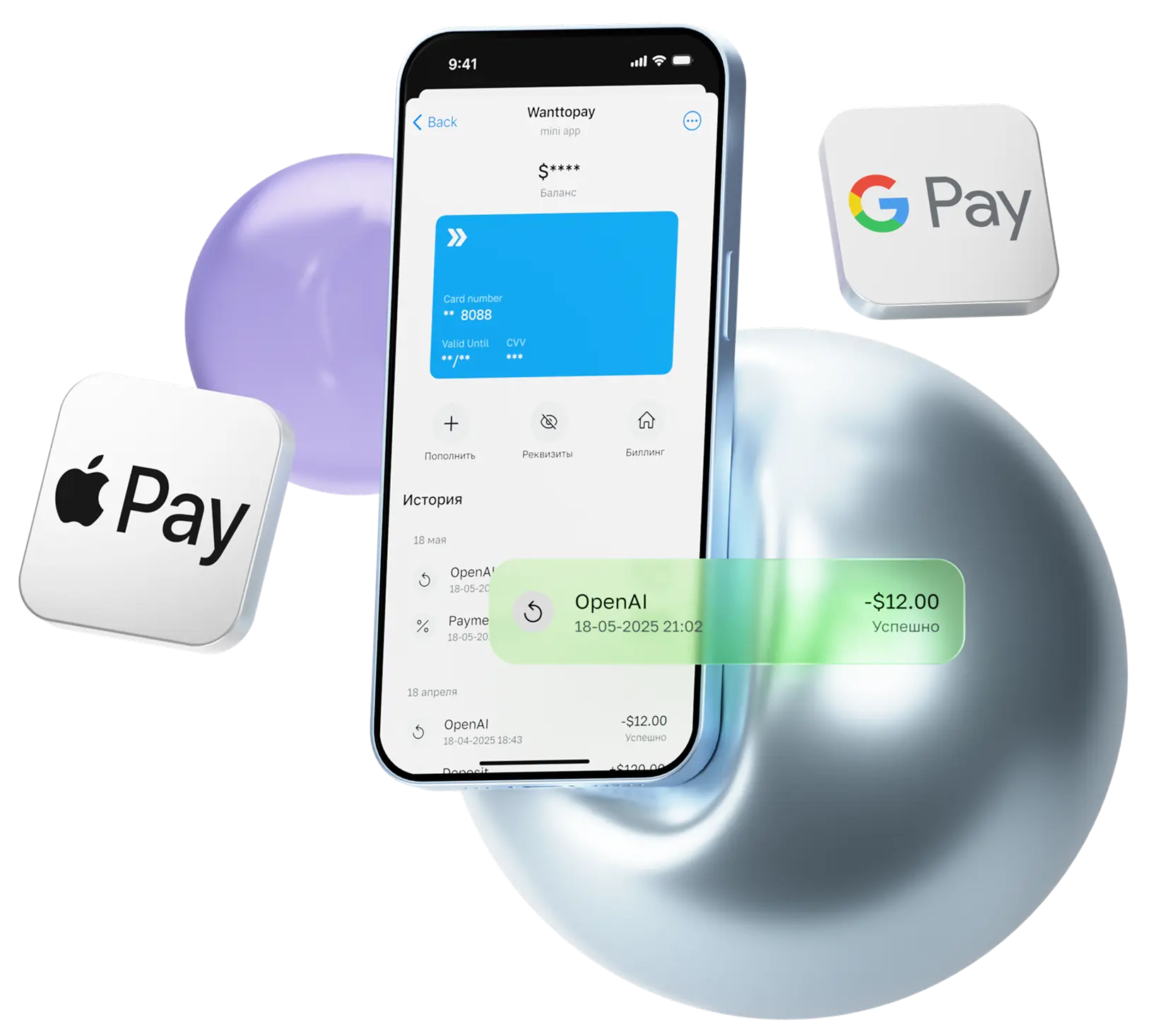
Wanttopay is a service that allows you to issue virtual cards to pay for foreign subscriptions, services and online purchases. It is especially relevant for users who need to have access to foreign payment instruments.
.png.webp)
- Go to Wanttopay's official Telegram chatbot — @WanttopayBot
- Launch the chatbot and click on the “Open mini-app” button
- Create an account, enter your name and enter your email
- Click on the “Issue a card” button to select the appropriate plan
- Pay for the card issue. Available payment methods: fiat and cryptocurrency
- The card will appear in the “My Cards” section and will be immediately ready for purchase
To pay for ChatGPT, choose Prepaid, Easy, Pro plans — they are great for paying for subscriptions and digital services. The card currency is the US dollar, but you can also pay for purchases in other foreign currencies with automatic conversion.
You can find more details about map features in the section Rates.
How to pay for ChatGPT in 2 minutes
The payment process takes just a couple of minutes. You only need to log in to the site beforehand chatgpt.com (via a foreign mail domain), where the subscription will be paid.
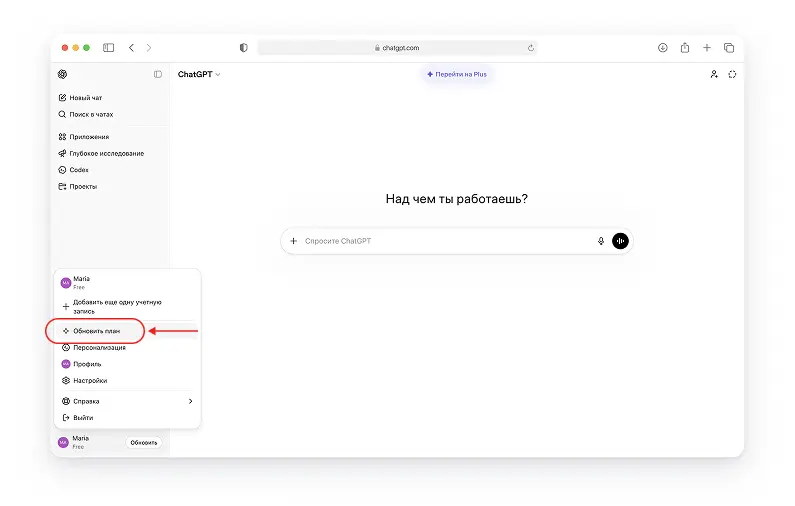
The ChatGPT neural network itself is free, but you will have some limitations: for example, slow processing and provision of information during peak load times. Paid account with a subscription ChatGPT Plus solves this problem, and after purchasing it, you can use it without functional restrictions. Therefore, we choose a tariff plan Plus and let's move on to payment.
It is important
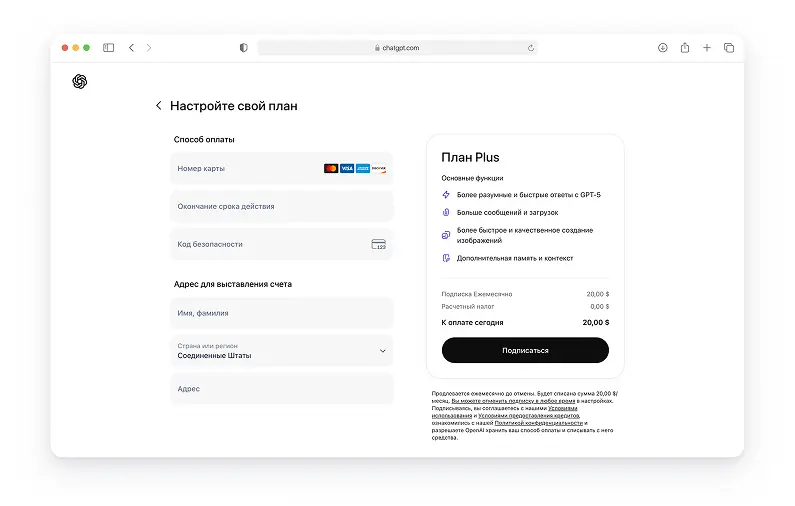
When paying for a subscription, you must use a US location. Sometimes, by default, you may automatically load another country, so the price will be different. You'll need to change your country to see everything like the example in the image below.
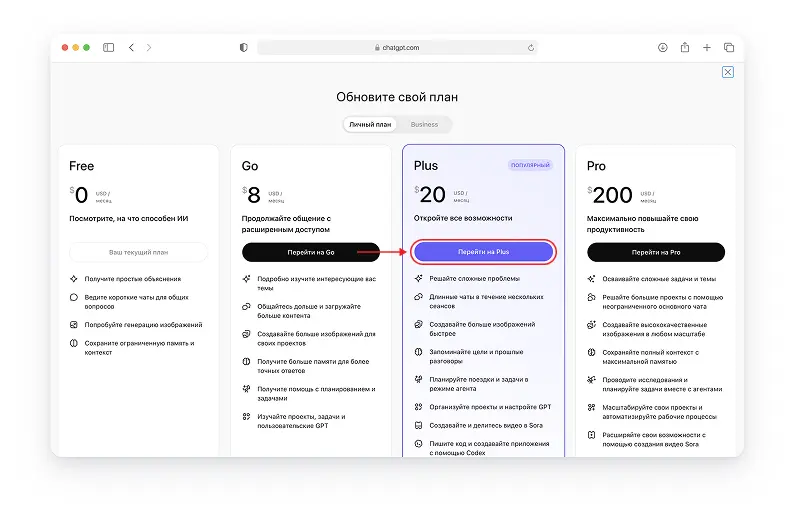
Enter your foreign card details and billing address. Wanttopay customers will be provided with all the necessary data to make purchases. In our example, the United States was chosen as the country. Please check the information you have entered and click the “Subscribe” button.
Please note
If the transaction fails or the system rejects the card, it is necessary to check that the connection is working properly. If everything is OK, simply change your region to any other country, refresh the page and try again. If this does not help, contact Wanttopay Support.
As a result, the subscription has been successfully paid and we can use the service.
We also received an email notification about the successful payment.
You can issue a card and control your purchases right in the Telegram chatbot @Wanttopaybot
Subscription paid!
This method has already been tested by many of our customers and works consistently when paying for a ChatGPT subscription. If you have any questions, support will always help you at any stage.